Everything under the hood
Built for people who
ship with AI.
Every feature designed to keep you in flow. Launch, track, and manage your AI agents without breaking stride.
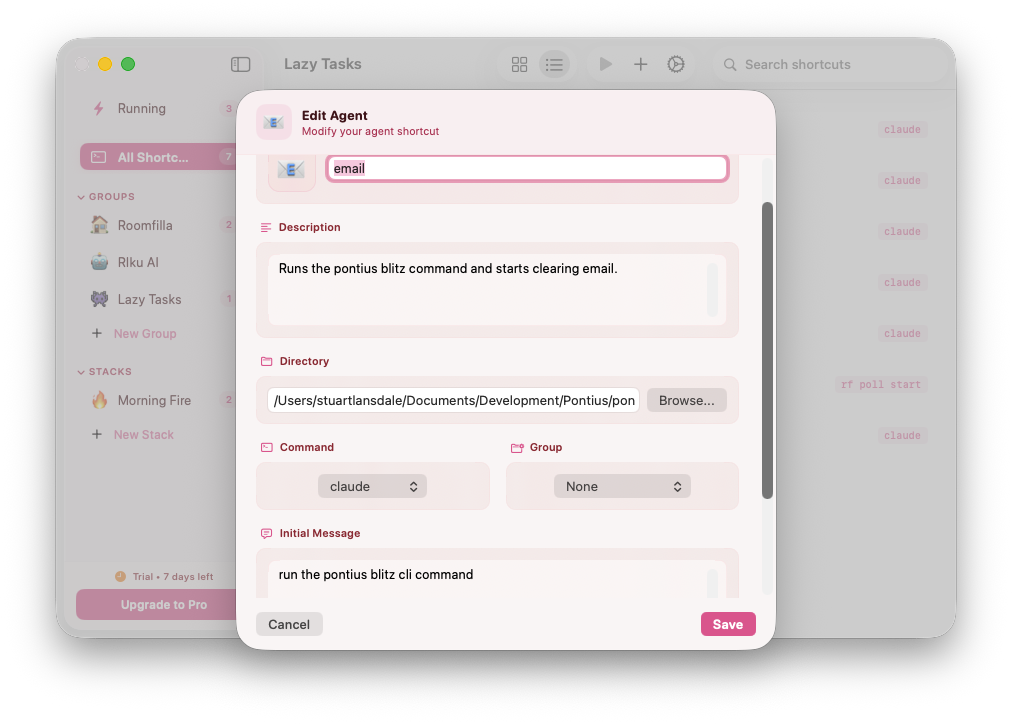
Define once, launch forever.
Define once, launch forever. Each shortcut remembers your working directory, agent command (Claude, Gemini, Codex, Aider — anything), and an optional first message to kick things off.
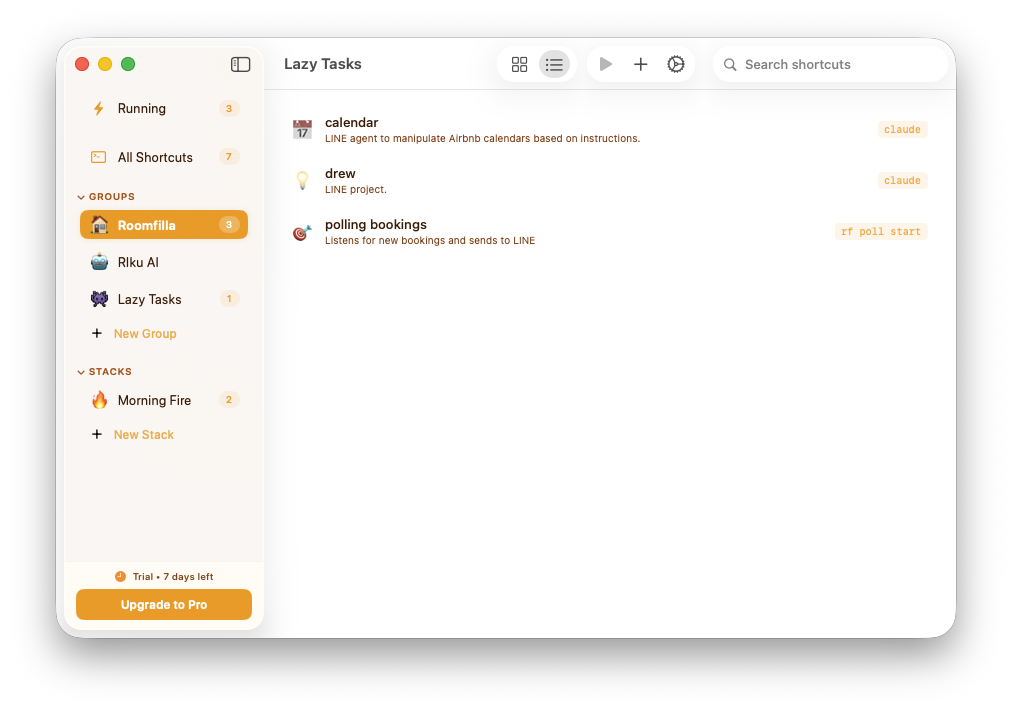
Organize your chaos.
Keep your shortcuts tidy with named groups. Drag shortcuts between groups, reorder within them, and collapse sections you're not using.
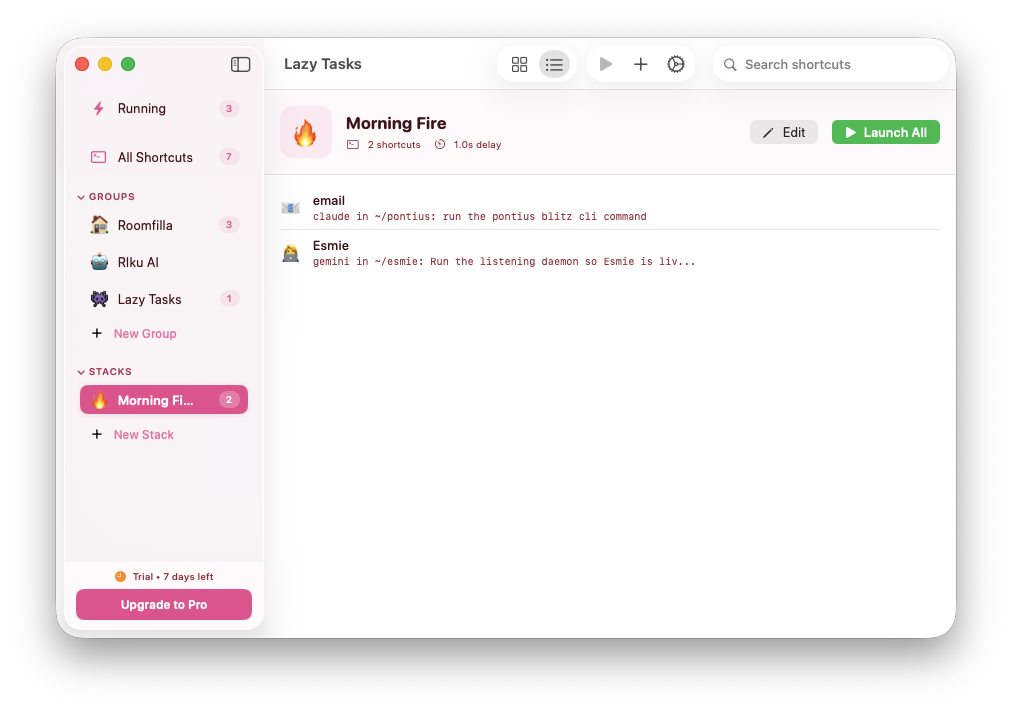
One click, many agents.
Need three agents working on different parts of a project? Create a stack. Set a delay between launches so terminals don't pile up. One click, multiple agents.
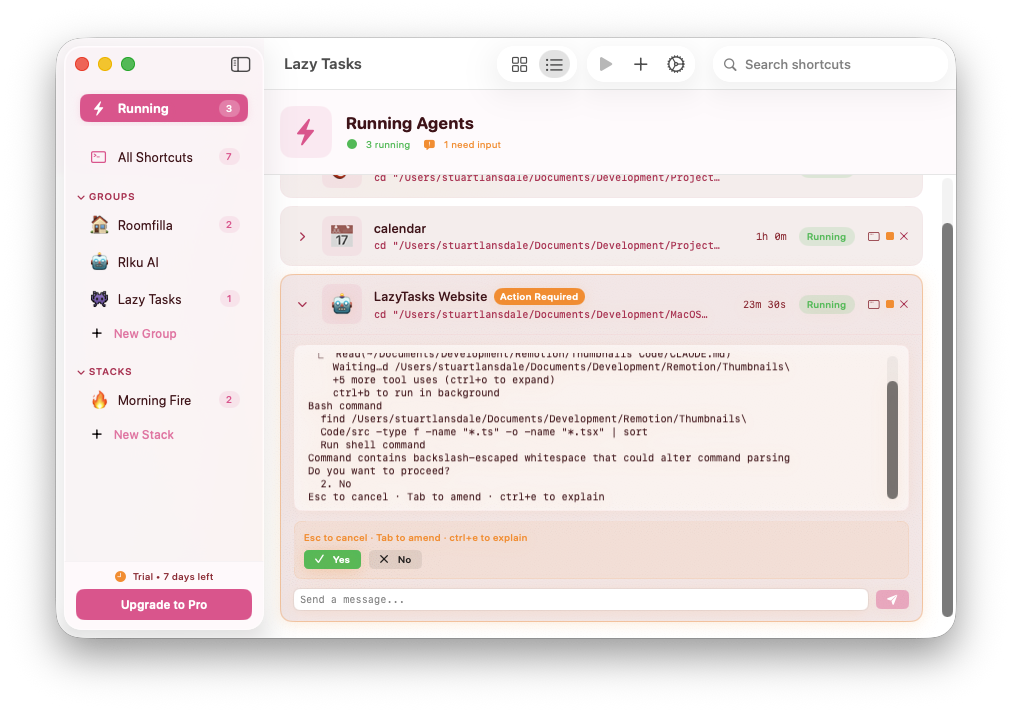
Your agents, at a glance.
The Running section shows every active agent with live status updates. Read terminal output, detect y/n prompts automatically, and send responses without leaving the app.
And there's more
The details that make it click.
Power features for people who take their workflow seriously.
Menu Bar
Always accessible in your menu bar. Launch shortcuts, view running agents, and trigger stacks — all from a compact dropdown that stays out of your way.
Shell Aliases
Every shortcut becomes a shell alias in your zsh, bash, or fish config. Type the alias name in any terminal and your agent launches instantly. Managed aliases update automatically.
Themes
Choose from 8 themes: Default, Midnight, Terminal Green, Ocean, Sunset, Rose, Minimal, and Neon. Each one carefully designed with 19 color slots for a cohesive look.
Auto-Updates
Built-in update checking via Sparkle. When a new version drops, you'll get a notification. One click to update — no manual downloads needed.
Compatibility
Works with every CLI agent
Lazy Tasks launches commands in your terminal. If it runs in a shell, it works with Lazy Tasks.
Seen enough?
Go ship something.
7-day free trial. All features unlocked. No credit card.